.png)
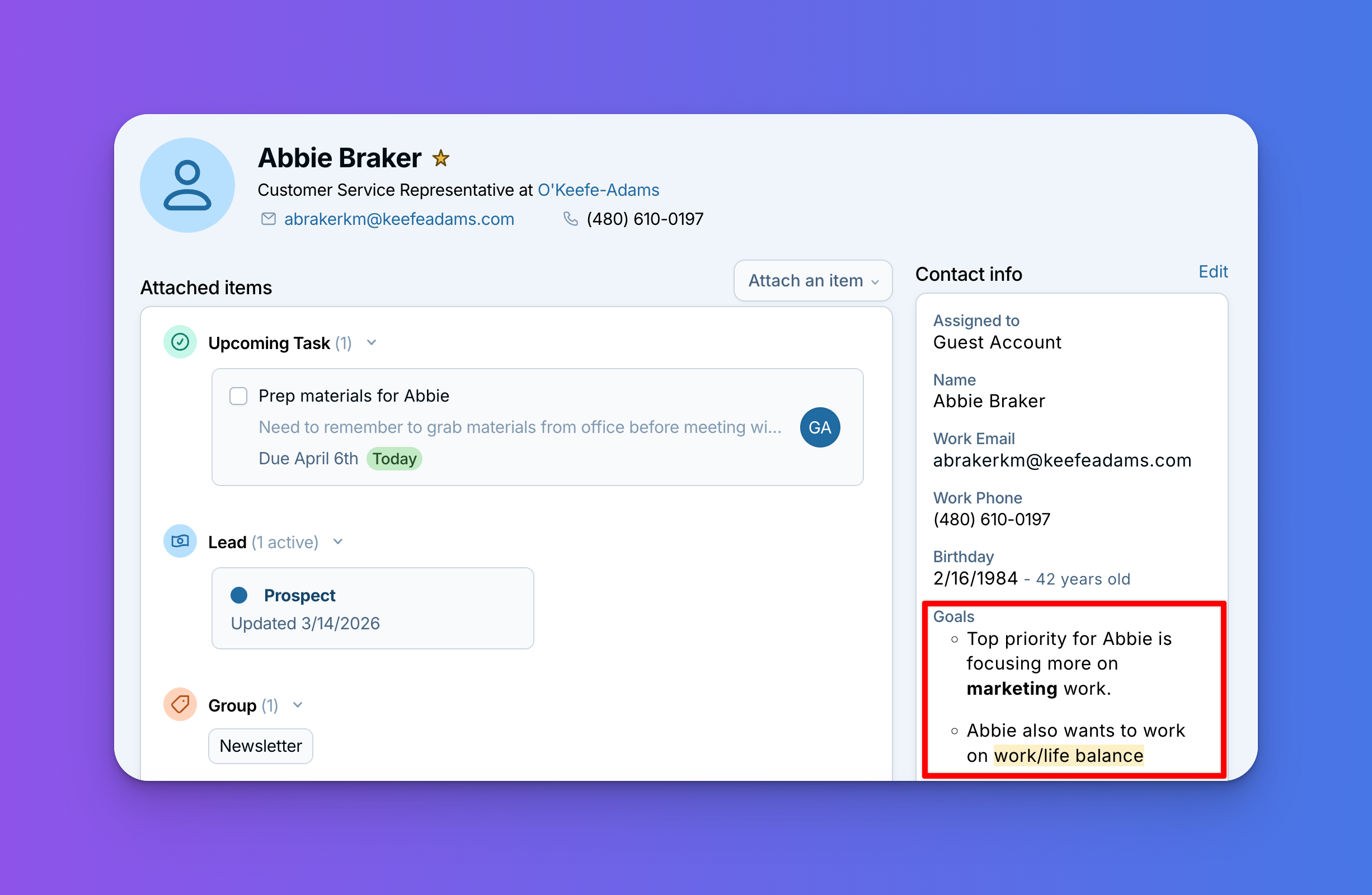
You can now add bullet points, bolding, and other rich text formatting to your custom text area fields, making it easier to keep detailed notes organized and scannable.
Here are a couple ways you might use it:
- Highlight what matters most. Create a text area for tracking priorities or key takeaways, then bold the most important items so they stand out at a glance.
- Keep key notes organized. Use bullet points to break out important details, or add line breaks to separate different topics within a single text area.
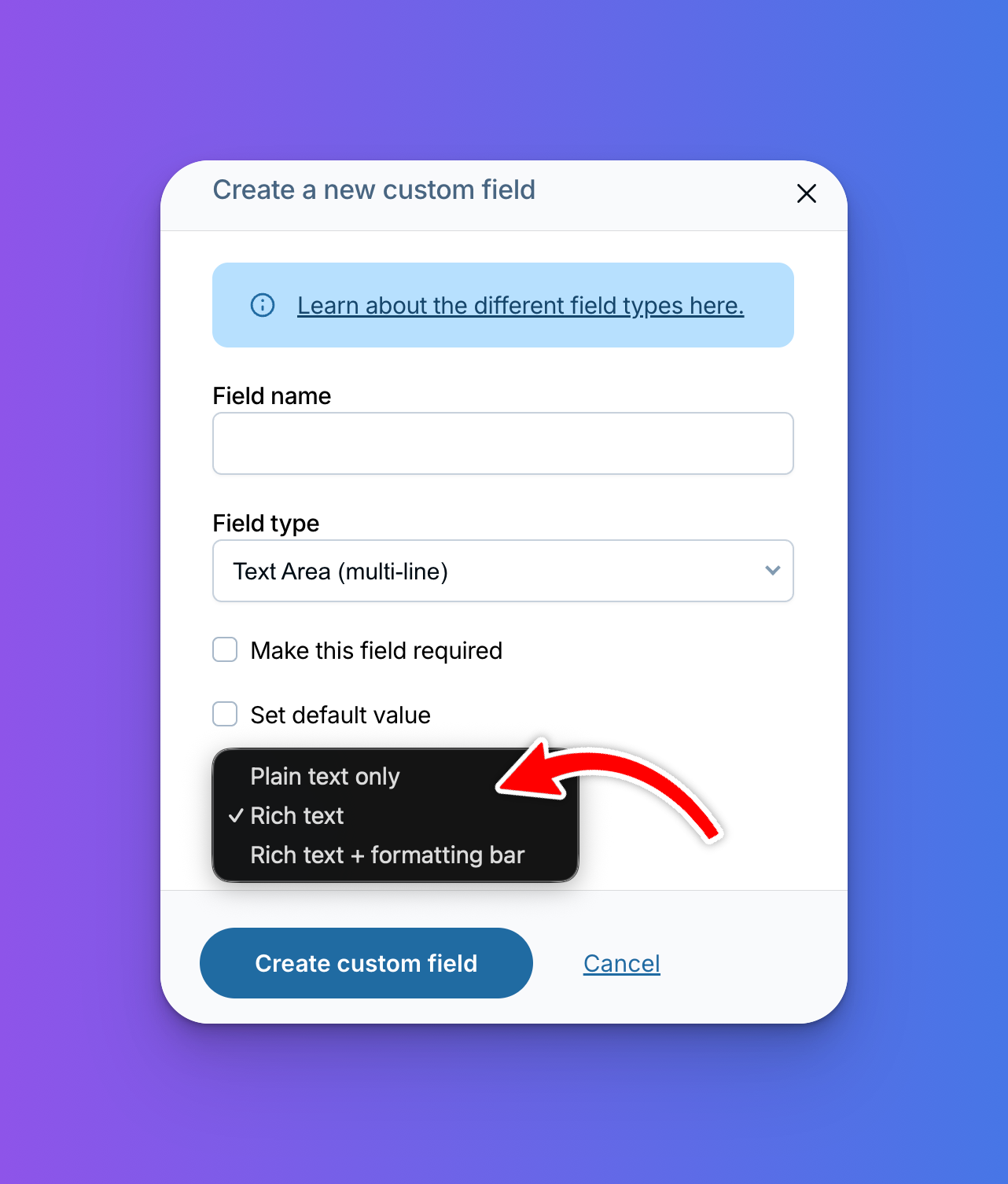
When you create or edit a custom text area field, you'll see a new choice with three options:
- Plain text: works the same as before, no formatting.
- Rich text with a formatting bar: gives you a handy toolbar for bolding, underlining, numbered lists, and more.
- Rich text: supports the same formatting, but without the toolbar. Great if you're comfortable writing in markdown.
Speaking of markdown: if you'd like to learn more about using it in the CRM, check out this guide.
Questions? Reach out to us! Or, let us know how you are using this new feature on our customer forum and chat with other LACRM users!
Sign up to receive updates in your inbox