.png)
Your workspace just got a lot more flexible.
Your workspace in the CRM is meant to be the homepage — the first thing you see with your morning coffee when you're deciding what to work on. Previously, it only showed tasks due today, and only your own.
We wanted the workspace to match how you actually work. Maybe a view of the week ahead is more useful than just today. Maybe seeing tomorrow's tasks helps you feel prepared. Or maybe you're a manager who needs to keep an eye on your team's workload.
Now you can customize all of that. There are three new settings for tasks on the workspace:
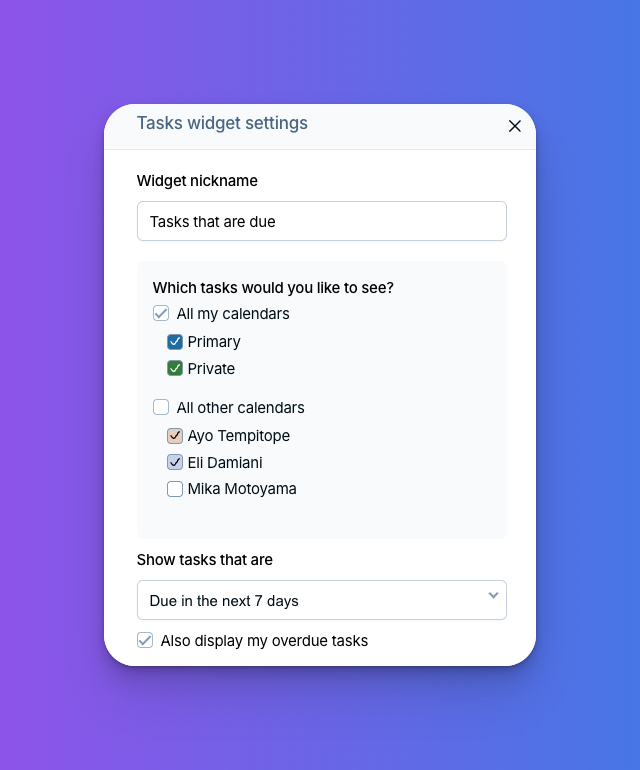
- 🗓️ Choose the timeframe: See today's tasks, today and tomorrow's, the next week, the next month, or everything in the future.
- 🚫 Choose whether to show overdue tasks: You'll see overdue tasks by default, but if they're cluttering things up, you can turn them off.
- ✅ Choose to see other users' tasks: If you're a manager or part of a collaborative team, you can now add your colleagues' tasks to your workspace.
You can also add multiple task widgets to your workspace. For example, you could have one widget for today's tasks and another for the next 30 days. Or one for your tasks this week and another for your team's. Rename them, mix and match, and build the setup that fits your workflow.
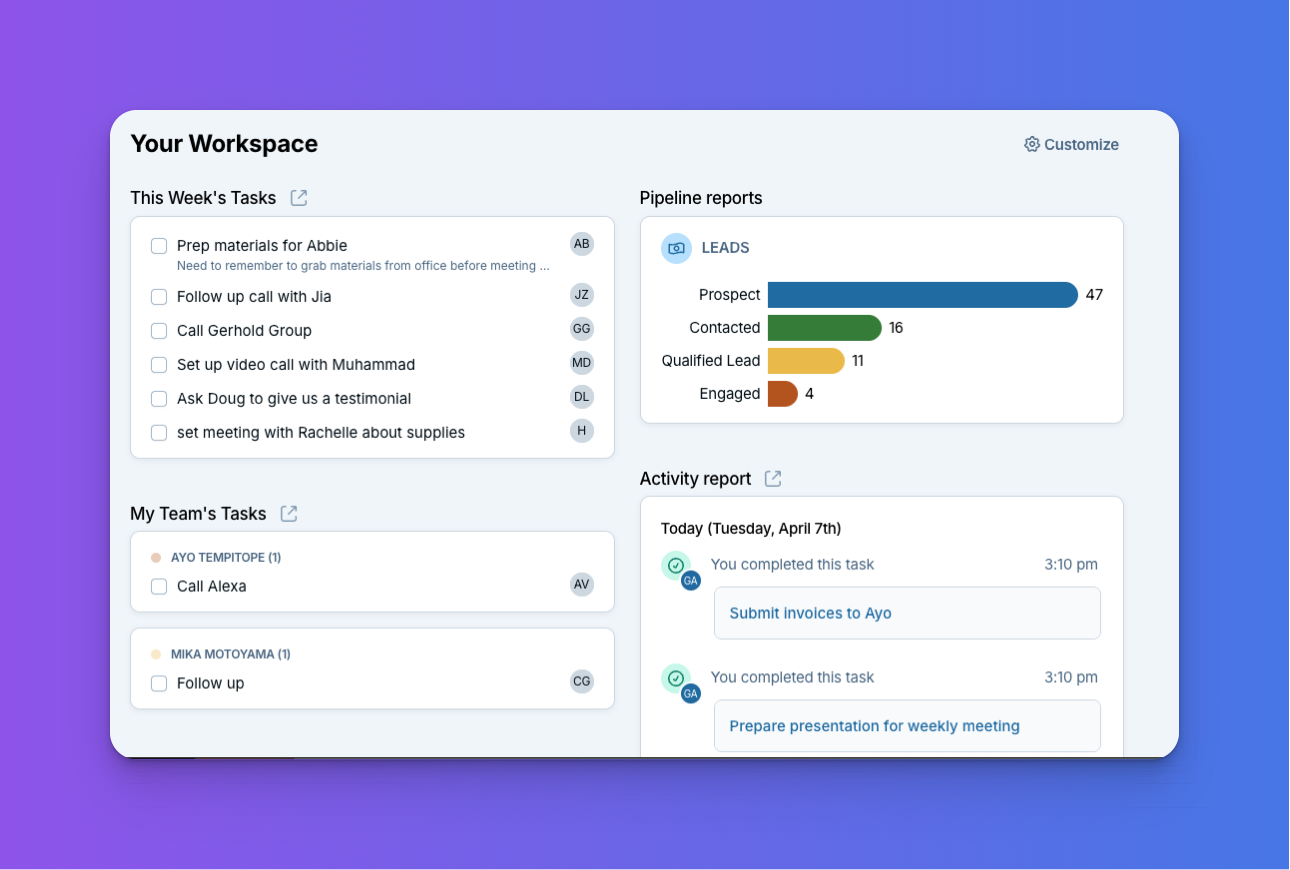
To get started, click Customize in the upper right-hand corner of the workspace. Then click the gear icon next to your task widget to adjust its settings, or click Add Widget to create a new one. Don't forget you can rename your widgets too!
Need help getting set up? Reach out anytime. Found a setup that works great for you? Share it on the forum!
Sign up to receive updates in your inbox